



Mazda Dashboard Warning Lights Guide – Bass Mazda
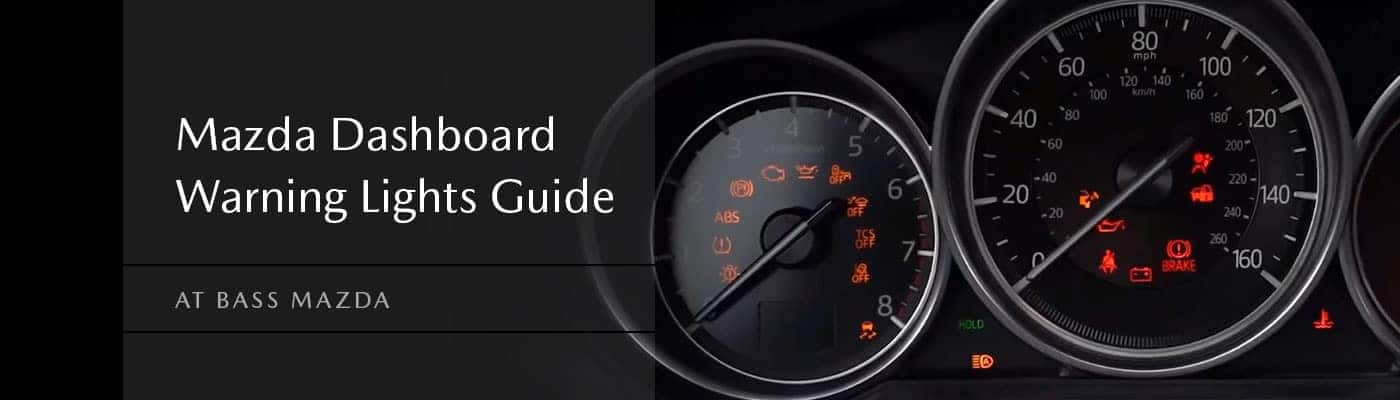
A warning light pops up on your Mazda dashboard. Now what?
The first thing to look at is the color of the light and whether your Mazda is driving normally.
- Red usually means something needs immediate attention.
- Yellow or amber means something needs to be checked.
- Green or blue usually means a feature is turned on or working normally.
The exact meaning depends on the symbol, your Mazda model, and sometimes the message shown in the instrument cluster.
If you see a warning you don’t recognize, here’s what some of the most common Mazda dashboard lights mean and what you should do next.
Can You Keep Driving With a Mazda Warning Light On?
Sometimes. It depends on the warning.
| Warning | What to Do |
|---|---|
| Red light | Many red warnings need immediate attention. Find a safe place to stop if the warning involves brakes, oil pressure, overheating, or another serious system. |
| Yellow or amber light | You may still be able to drive, but the issue should be checked soon. |
| Flashing light | Pay close attention. A flashing warning can mean the problem is more urgent. |
| Green or blue light | Usually means a feature is turned on or operating normally. |
On many newer Mazda models, you can also open Information > Vehicle Status Monitor in Mazda Connect for more details.
Mazda Warning Light Colors
Red Warning Lights
Red usually means the vehicle needs your attention right away.
If the warning involves oil pressure, brakes, overheating, or another major system, pull over somewhere safe and check the message on the display before continuing.
Yellow or Amber Warning Lights
A yellow or amber light usually means something needs attention, but you may still be able to drive.
Pay attention to how the vehicle feels and get the issue checked if the warning stays on.
Green or Blue Lights
These are usually informational.
They may show that your headlights, high beams, turn signals, or another vehicle feature is active.
Common Mazda Dashboard Warning Lights
Symbols shown are examples. Their appearance, color, and meaning can vary by Mazda model, model year, and equipment.

|
Brake System Warning LightThis light can come on when the parking brake is applied, but it can also point to low brake fluid or another brake-system issue. What to do: If the light stays on after releasing the parking brake, stop somewhere safe and have the brake system checked. |
Electric Parking Brake LightThe EPB light normally comes on when the electric parking brake is engaged. What to do: If it stays on after you release the parking brake or begins flashing, the system may need attention. |
|

|
Oil Pressure Warning LightThis is one you don’t want to ignore. It can mean the engine isn’t getting enough oil pressure. What to do: Pull over safely and shut off the engine. Continuing to drive with low oil pressure can cause serious engine damage. |
Low Oil Level WarningSome Mazda models also have a separate low oil level warning. What to do: Check the oil level when it’s safe to do so. If the warning stays on after correcting the level, have the vehicle checked. |
|

|
Charging System Warning LightThis warning can point to a problem with the vehicle’s charging system. What to do: Find a safe place to stop and have the vehicle inspected. A charging-system issue can eventually leave the vehicle without enough electrical power to keep running. |

|
High Coolant Temperature WarningThis means the engine may be overheating. What to do: Pull over safely and stop the engine. Driving an overheating vehicle can cause serious damage. |

|
Check Engine LightThe check engine light can come on for a wide range of reasons, from a loose fuel cap to an engine, emissions, transmission, or fuel-system issue. What to do: If the vehicle feels normal and the light is steady, check the fuel cap and schedule service if the light stays on. If the light is flashing or the vehicle is running poorly, take it more seriously. |

|
ABS Warning LightThis means the Anti-Lock Brake System has detected a problem. What to do: Have the system checked. If the ABS and brake-system warning lights come on together, find a safe place to stop. |

|
Electric Power Steering Warning LightThis warning can mean there’s a problem with the electric power steering system. What to do: Steering may feel heavier than normal. If the vehicle can still be controlled safely, drive carefully and have it checked soon. |

|
Airbag Warning LightThis light can point to an issue with the airbag or seat belt pretensioner system. What to do: Have it inspected. You want these systems working properly if you’re ever in a collision. |
Master Warning LightThe Master Warning Light means your Mazda has something it wants you to pay attention to. What to do: Look for a message in the instrument cluster or center display. That message should give you more information. |
|
Tire Pressure Warning LightThis usually means one or more tires are low on air. A flashing TPMS light can also point to an issue with the monitoring system. What to do: Check your tire pressure and look for obvious tire damage. If the light keeps flashing after the pressures are correct, have the system checked. |
|
AWD Warning LightOn AWD-equipped Mazda vehicles, this light can mean the all-wheel-drive system has detected a problem. What to do: Check for a message on the dashboard. If the warning stays on, schedule service. |
|
Automatic Transmission Warning LightThis warning points to a problem involving the automatic transmission. What to do: Have the vehicle checked as soon as you can, especially if you also notice hard shifting, hesitation, or other changes in how it drives. |
|
TCS/DSC LightThe Traction Control System and Dynamic Stability Control help your Mazda maintain traction. The light may flash while the system is actively working, such as when the tires start to slip. What to do: If the light stays on when you wouldn’t expect it to, check the vehicle display for more information. |
|
i-ACTIVSENSE Warning LightThis warning can involve one or more driver-assistance systems, including features such as:
What to do: Check the message shown on your Mazda’s display. If the warning keeps coming back, have the system checked. |
|
Blind Spot Monitoring WarningA normal Blind Spot Monitoring alert simply means the system has detected another vehicle nearby. That doesn’t necessarily mean something is wrong. What to do: Always check your mirrors and surroundings yourself before changing lanes. If you get a malfunction or unavailable message that doesn’t go away, schedule service. |
|
Lane Departure or Lane-Keep WarningThese systems can alert you when the vehicle begins leaving its lane and may provide steering assistance on equipped models. What to do: Keep control of the vehicle and continue watching the road. If a system warning stays on, have it checked. |
|
Smart Brake Support WarningSmart Brake Support can warn you about a possible collision and may provide braking assistance. What to do: Continue braking and controlling the vehicle yourself. If the system shows a malfunction or unavailable message that keeps returning, have it looked at. |
|
i-stop Warning LightIf your Mazda has i-stop, an amber warning that stays on or flashes can mean the system needs attention. What to do: Schedule an inspection if the warning doesn’t go away. |
|
KEY Warning LightA red KEY warning can mean your Mazda isn’t detecting the key properly or there’s an issue with the keyless entry or starting system. What to do: Make sure the key is inside the vehicle. If the warning keeps coming back, the key fob battery or starting system may need attention. |
|
High Beam Control WarningAn amber High Beam Control warning can mean the automatic high-beam system is unavailable. What to do: You can still control your headlights manually. If the warning keeps returning, have the system checked. |
|
Exterior Lights WarningThis means there may be a problem with an exterior light. What to do: Check your headlights, brake lights, taillights, and other exterior lighting. |
|

|
Low Fuel WarningThis one is simple: you’re getting low on fuel. What to do: Fill up soon. |

|
Low Washer Fluid WarningYour windshield washer fluid is running low. What to do: Add washer fluid when convenient. |

|
Door, Liftgate, or Hood WarningOne of these may not be completely closed. What to do: Stop somewhere safe and make sure everything is securely latched. |

|
Seat Belt Warning LightThis means the driver or one of the passengers may not be buckled. What to do: Make sure everyone is properly wearing a seat belt before driving. |
Rear Seat AlertOn equipped models, this is a reminder to check the back seat before leaving the vehicle. |
|

|
Mazda Wrench LightThe wrench light is typically a maintenance reminder. It may be time for scheduled service such as an oil change, tire rotation, or inspection. |
What Should You Do When a Warning Light Comes On?
If you see a light you don’t recognize:
- Look at the color and symbol.
- Check for a message on the dashboard or center display.
- Pay attention to how the vehicle is driving.
- If the warning is red or the vehicle feels unsafe, pull over somewhere safe.
- Check your owner’s manual if you’re unsure what the symbol means.
- If the light stays on, flashes, or keeps coming back, schedule service.
Mazda Dashboard Warning Light FAQs
What does a warning light on my Mazda mean?
It depends on the symbol.
Red warnings are generally the most urgent, yellow or amber lights usually mean something needs attention, and green or blue indicators are typically informational.
Can I drive with the check engine light on?
If the light is steady and your Mazda is driving normally, you may be able to drive it to have it checked.
If the light is flashing or the vehicle is running rough, losing power, overheating, or behaving abnormally, find a safe place to stop.
What does the wrench light mean?
The wrench light usually means your Mazda has reached a scheduled maintenance interval.
What does the Master Warning Light mean?
It means the vehicle has detected something that needs your attention.
Look for an accompanying message in the instrument cluster or center display.
Why is my tire pressure light flashing?
A flashing TPMS light can mean there’s a problem with the Tire Pressure Monitoring System itself.
Check the tire pressures first. If they’re correct and the light keeps flashing, have the system inspected.
What does the i-ACTIVSENSE warning mean?
It can mean one of your Mazda’s driver-assistance systems has detected a problem or is temporarily unavailable.
Check the dashboard message for more information.
What does the red KEY light mean?
It can mean the key isn’t being detected or there’s a problem with the keyless entry or starting system.
Are the warning lights the same on every Mazda?
No. Warning lights can vary between models, model years, trims, and equipment.
A CX-5, CX-30, CX-50, CX-70, CX-90, or Mazda3 may not show exactly the same symbols.
Should I schedule service if a warning stays on?
If the light stays on, keeps coming back, or begins flashing and you’re not sure why, yes.
Not Sure What Your Mazda Warning Light Means?
If a warning light has you wondering whether it’s safe to keep driving, we can help.
Our service team in Sheffield Village can check the warning, read any stored diagnostic information, and figure out what your Mazda actually needs.
Whether you’re dealing with a check engine light, brake warning, tire-pressure light, i-ACTIVSENSE warning, maintenance reminder, or another dashboard symbol, we’ll help you get to the bottom of it.
Warning lights and symbols can vary by Mazda model and model year. Check your owner’s manual if you’re unsure about a warning specific to your vehicle.
